
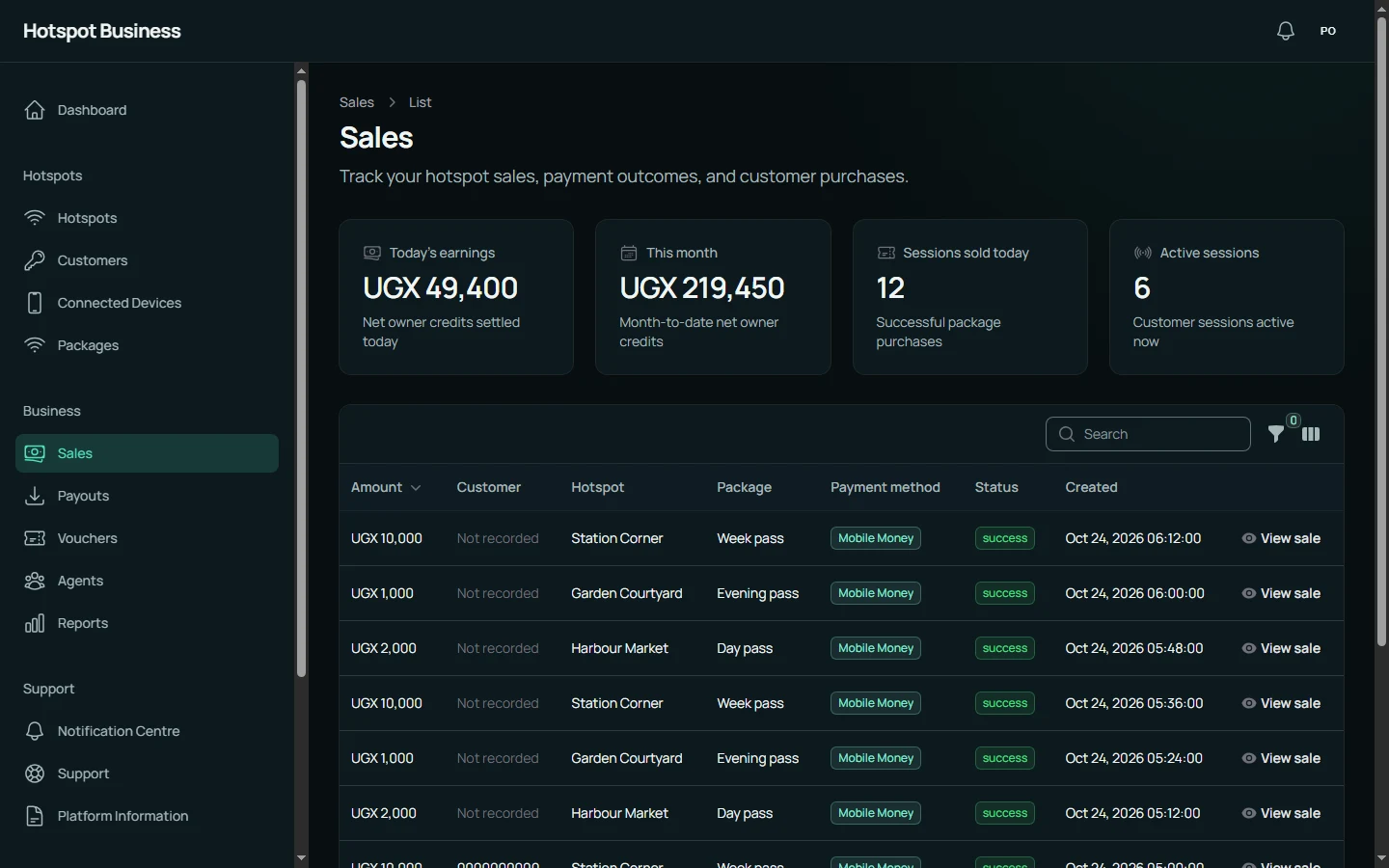
01 / FOLLOW YOUR BUSINESS
Every sale. A clearer picture.
See payments, packages and locations together. Follow the day’s earnings and find the detail behind each transaction.
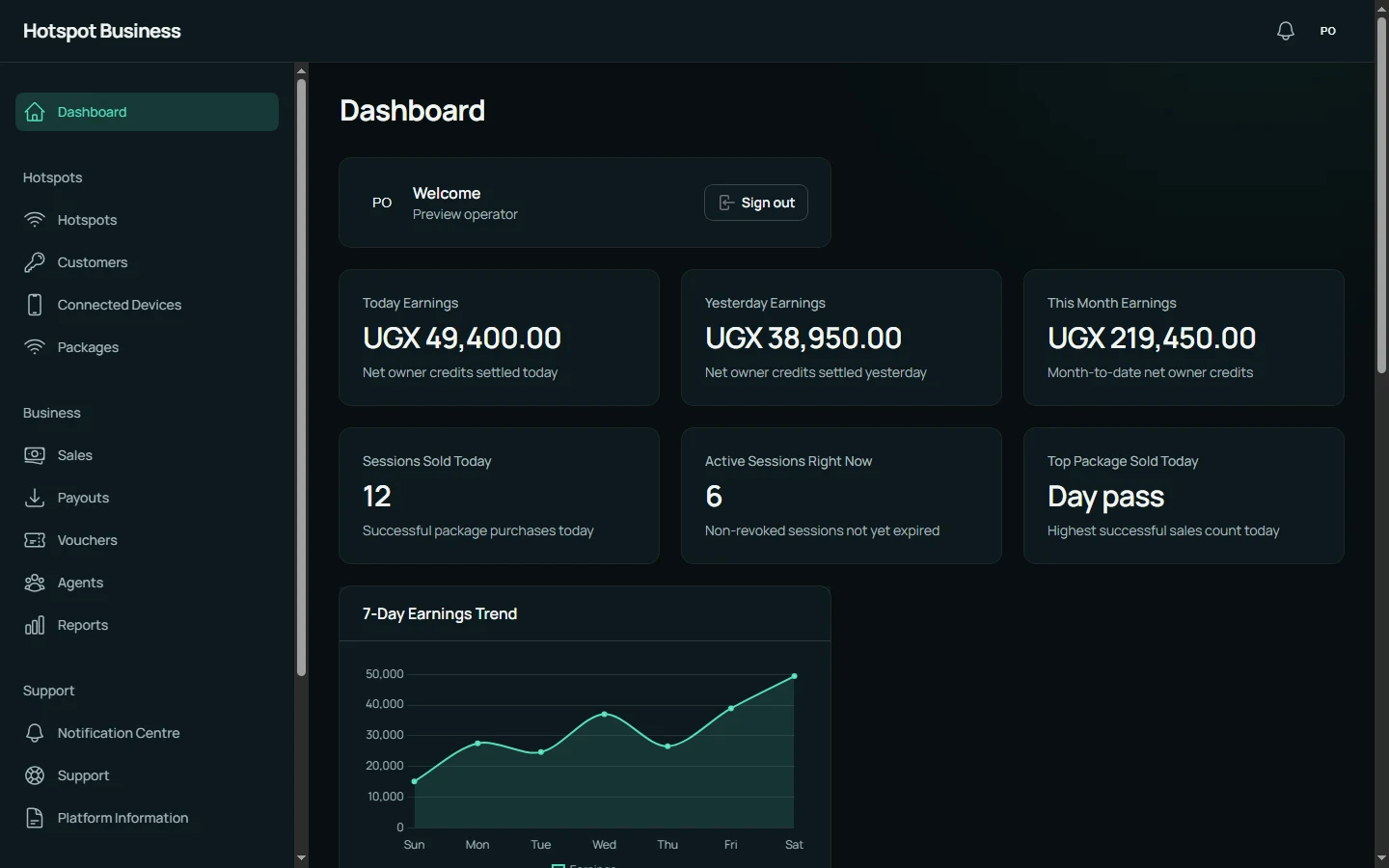
HOTSPOT OPERATIONS, IN ONE PLACE
Manage customer access, packages, vouchers, payments and network operations without stitching together separate tools.
Built for the people running customer-facing Wi-Fi, every day.
Customer access Packages & sessions
Mobile Money Package purchases
Vouchers Another way to connect
Network visibility Operational status



YOUR BUSINESS, ON SCREEN
From the morning’s sales to your next location. One workspace brings the everyday details together.
01 / FOLLOW YOUR BUSINESS
See payments, packages and locations together. Follow the day’s earnings and find the detail behind each transaction.
02 / MAKE IT YOURS
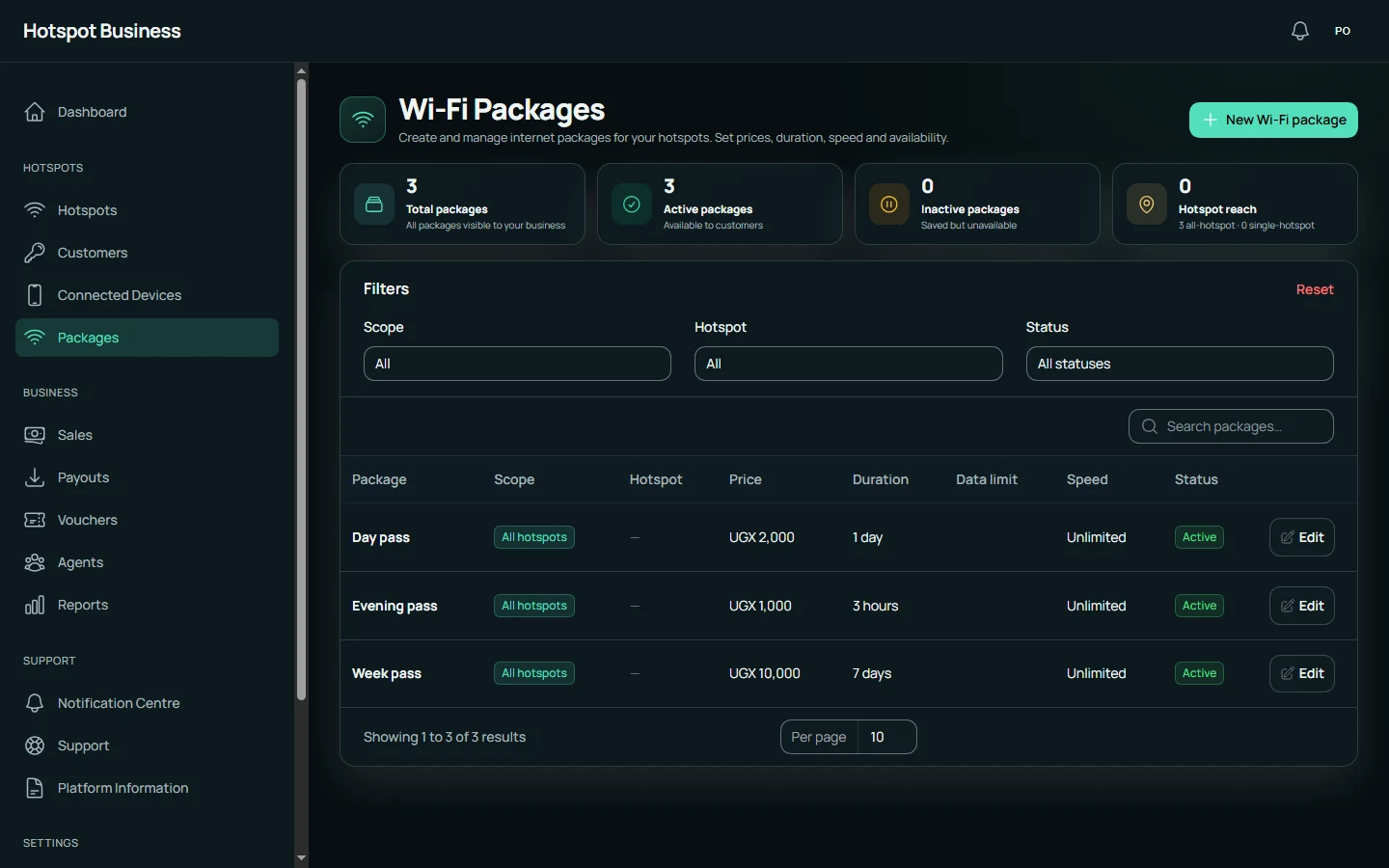
Create access packages around the way people use your network. Set prices, durations and limits, then manage your offers across locations.
ONE WORKSPACE. BOTH SIDES OF THE BUSINESS.
Keep the details together, from the package a customer buys to the access they receive.
Set prices and durations, with data and speed limits where needed. Customers choose a package and pay through the configured Mobile Money checkout.
24 hours of access
Generate voucher batches, print them for sale and track redemption. Give customers a straightforward alternative to online payment.
Enter your voucher on the Wi-Fi portal
Review sales, owner earnings and balances. Submit payout requests and follow their status from the owner panel.
Review reported devices, customer sessions and access states. Help returning customers recover eligible access with their original voucher or Internet Access Code.
Packages, vouchers and customer sessions live in the same operating flow instead of separate spreadsheets and router screens.
Follow successful purchases, sales activity and operational status from the owner workspace.
See router health, connected devices, portal release state and support information without treating the network as a black box.
Brand the captive journey, publish announcements and give customers clear package, voucher and recovery paths.
THE FRONT DOOR TO YOUR NETWORK
Your hotspot name, your colours and your message—presented through a responsive captive experience designed for phones, tablets and computers.
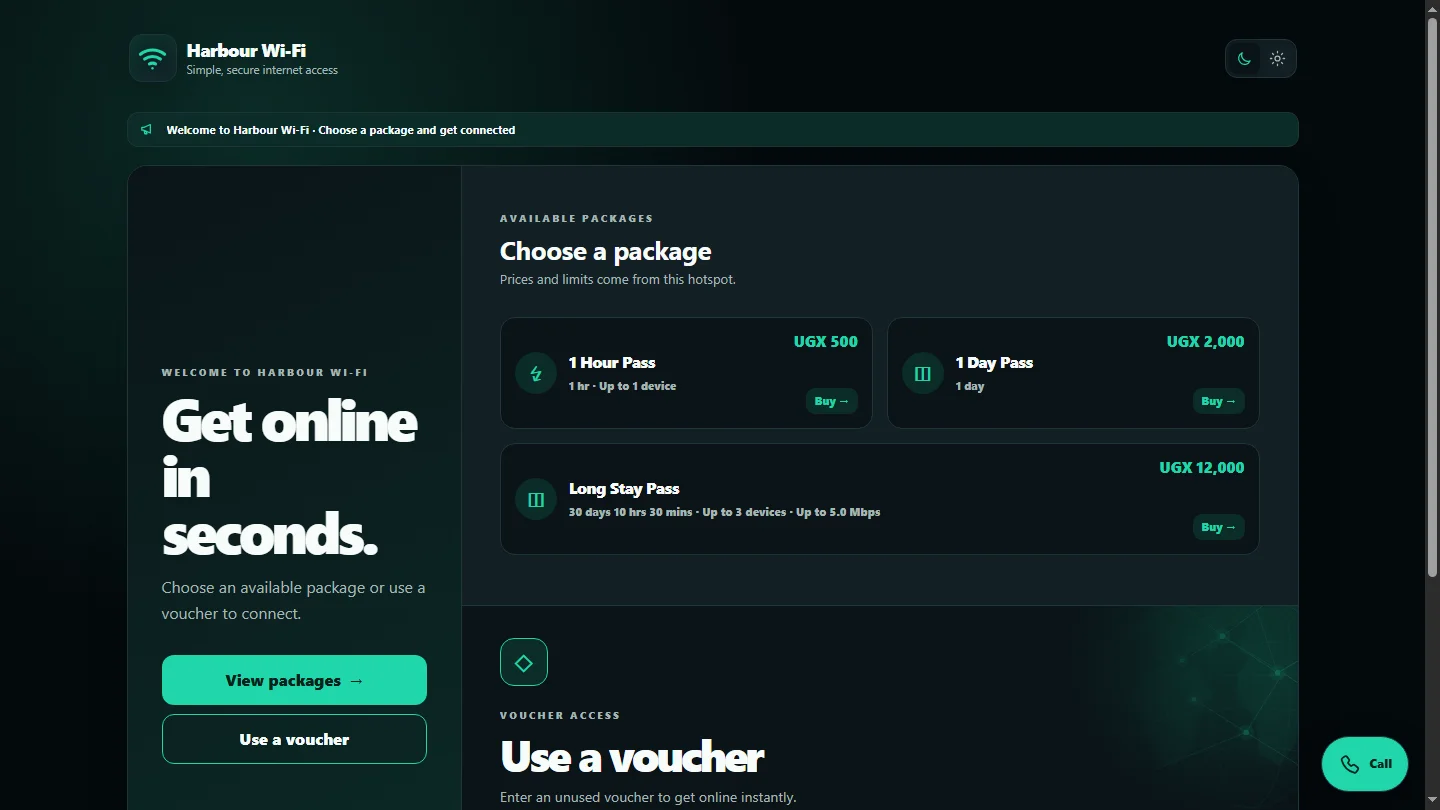
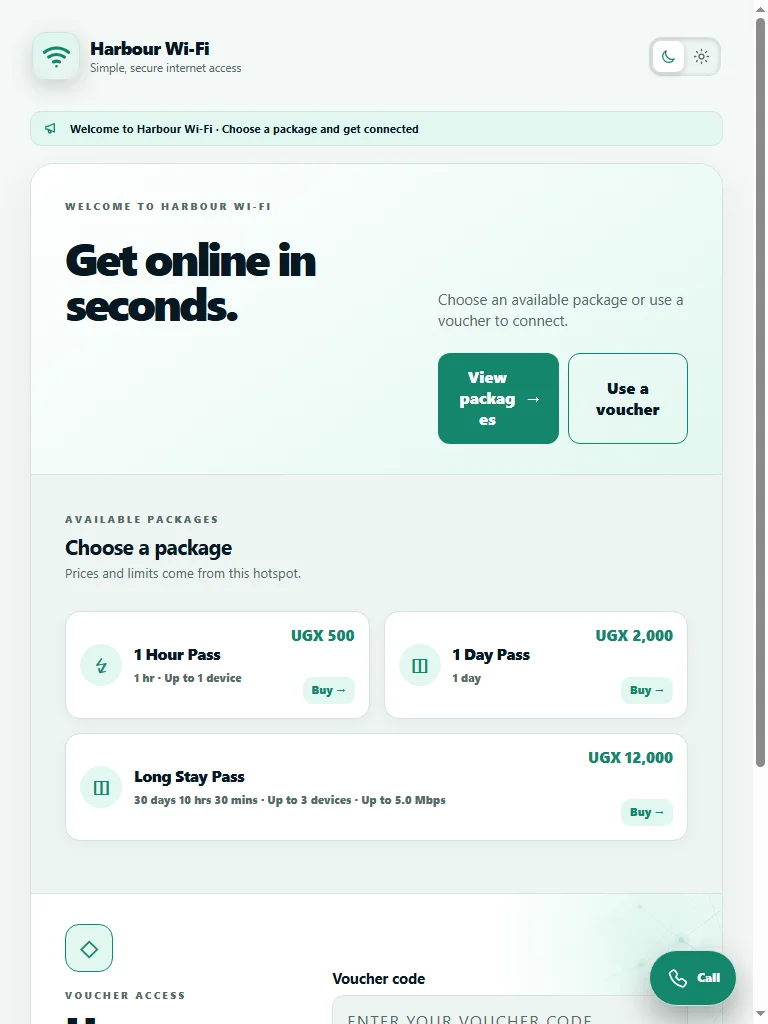
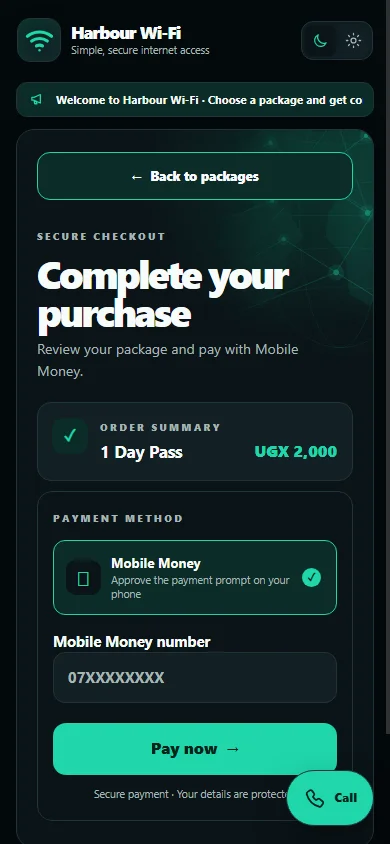
Set the accent colour, welcome headline and announcement. Add useful static pages for customers.
Buy a package through Mobile Money or enter a voucher. No customer app to install.
Payment status, access guidance and recovery help stay within the customer journey.
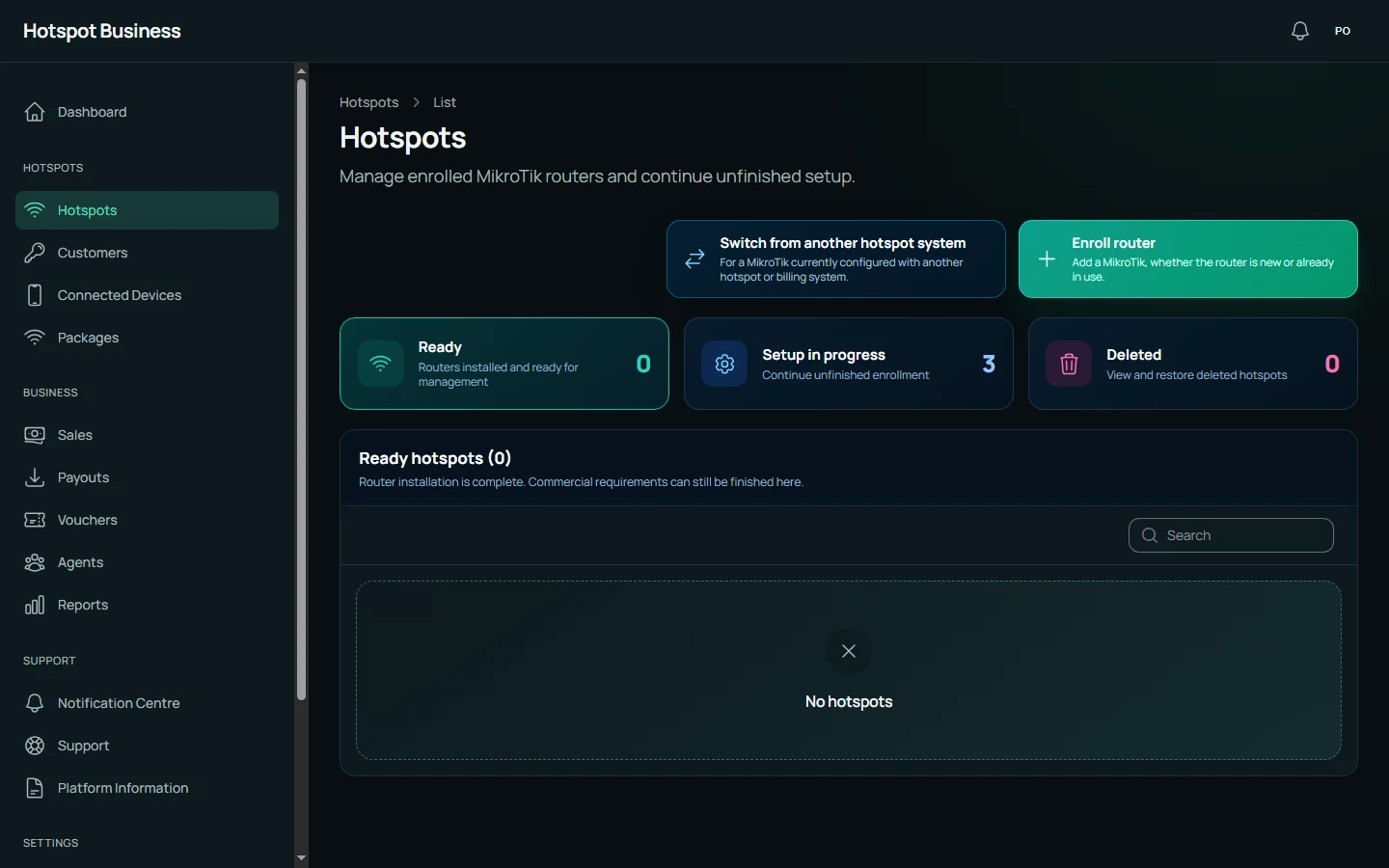
Follow setup stages and see when the router last contacted the platform.
Distinguish an installed, verified release from an update that is still needed.
See the remaining package, payment or customer-access prerequisite before selling access.
Installation can be complete while a commercial prerequisite still needs attention.
BEYOND THE PAYMENT PAGE
Check router contact, recent telemetry, package readiness and portal deployment status from one owner workspace.
When a hotspot needs attention, open a support case. Authorized platform staff can use managed remote support where it is configured and available.
Questions about your router?Authenticated router commands help keep management actions tied to the right hotspot.
Deployment checks distinguish a verified installed release from a requested update.
Package expiry, voucher validation and recovery checks help preserve the access customers purchased.
FROM SETUP TO DAILY OPERATIONS
Create your owner account, then prepare your hotspot for its first customer.
Prepare the managed hotspot and verify router connectivity and portal readiness.
Create packages and vouchers that match the way you want customers to get online.
Customers see the branded portal, choose access and follow the payment or voucher path.
Track customers, sessions, sales, connected devices and network state from the owner workspace.
GROW WITH HOTSPOT BUSINESS
Make the introduction. Give them a better way to run their Wi-Fi business, and build a referral business of your own.
Explore the partner programA dedicated workspace for your referral business.
New owner registrations are attributed to you.
Eligible commission and reviewed payout requests, in one place.